

 Posts
PostsStay ahead in the Runes ecosystem: How to use tools to mint runes (with tutorial)

There are only a hundred blocks left until the Bitcoin halving, and the Bitcoin ecosystem in April has undoubtedly become the focus of the market. Among them, the hottest topic is the Runes concept. In the Runes protocol, which has not yet been launched on the mainnet, nearly 20 infrastructure platforms providing minting, trading, and other services have already emerged. Related reading:《Runes Haven't Launched Yet, but the Ecosystem Has Already Become a Red Ocean》
For veterans of the Bitcoin ecosystem, minting with the Runes protocol is not complicated, but for most new users, there is still a relatively high barrier to entry.
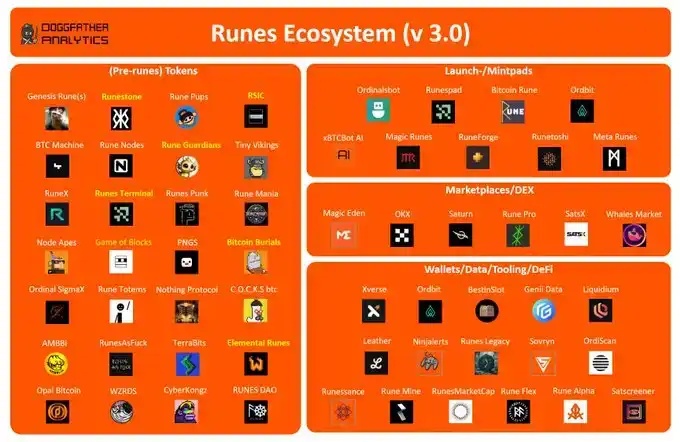
Image source: Doggfather
Regarding wallet downloads, registration, and usage methods, BlockBeats previously compiled a list of six commonly used Bitcoin wallets, so we won't go into detail here. Related reading:《Beginner's Guide to Six Bitcoin Wallets: Don't Miss the Next Wealth Code》. In the Runes ecosystem, the most widely used wallets in the community are currently Unisat, Xverse, and the OKX WEB3 wallet.
For the most crucial minting tools that users care about, BlockBeats selected several projects that have already launched on the testnet and provided detailed explanations and tutorials below, which will be highly instructive for the minting process after the mainnet launch.
Wallets and Minting Platforms
Xverse
Xverse is a commonly used wallet in the Bitcoin ecosystem and naturally won't miss out on this "Runes frenzy." Xverse mint is now live, and users can mint runes on the website.
1. Open the Xverse official website, choose the Chrome browser to download and install the extension. In the Chrome browser extensions, open the Xverse plugin. New users should select "Create a new wallet" on this interface. After clicking, a 12-word mnemonic phrase will pop up. Back up the mnemonic phrase and set a password to complete wallet creation.
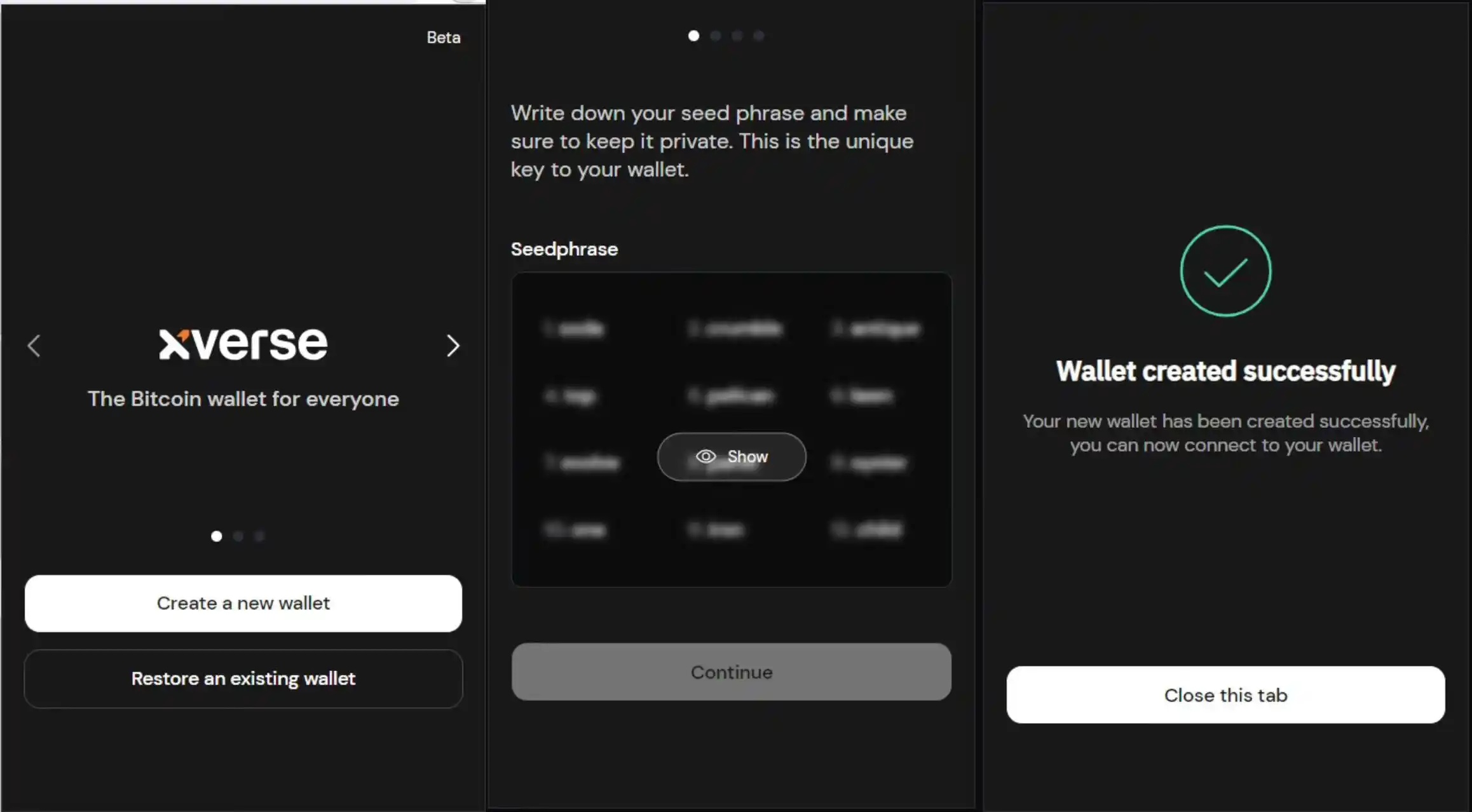
Note that the Xverse wallet mainnet has two addresses: a BTC address starting with "3" and an asset storage address (for Ordinals, Runes, rare satoshis, etc.) starting with "bc1". The testnet has one address starting with "2". If you want to interact on the mainnet, transfer the prepared BTC to the "3" address, not the "bc1" asset address.
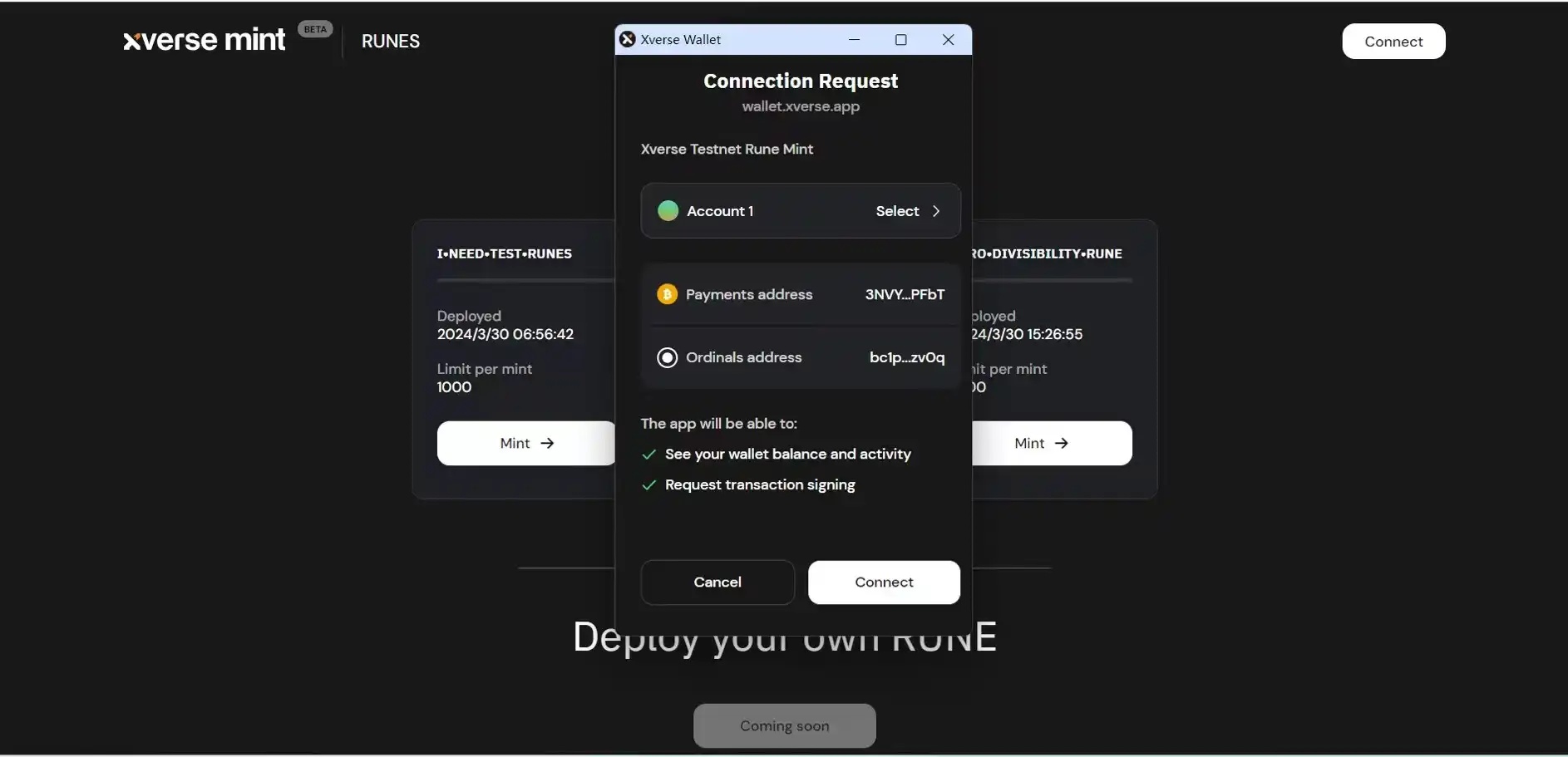
2. In the Xverse testnet, after successfully connecting the wallet, you can click the "Mint" box to start minting.
Xverse provides three different Runes test coins for minting: "I•NEED•TEST•RUNES," "A•SQUARE•IS•NOT•A•LOGO," and "ZERO•DIVISIBILITY•RUNE." All three were deployed on March 30 and are for testing only, with each mint yielding 1000 units.
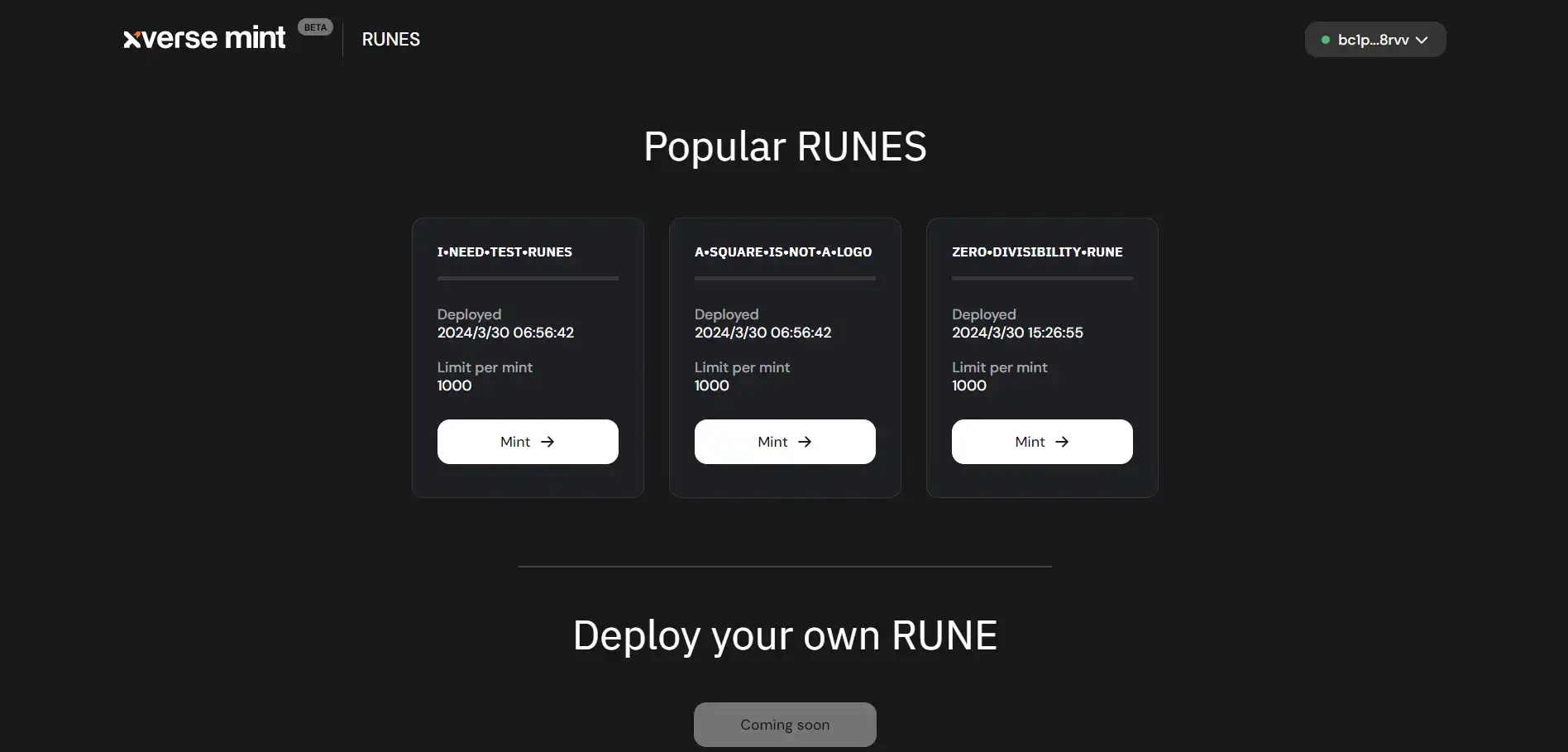
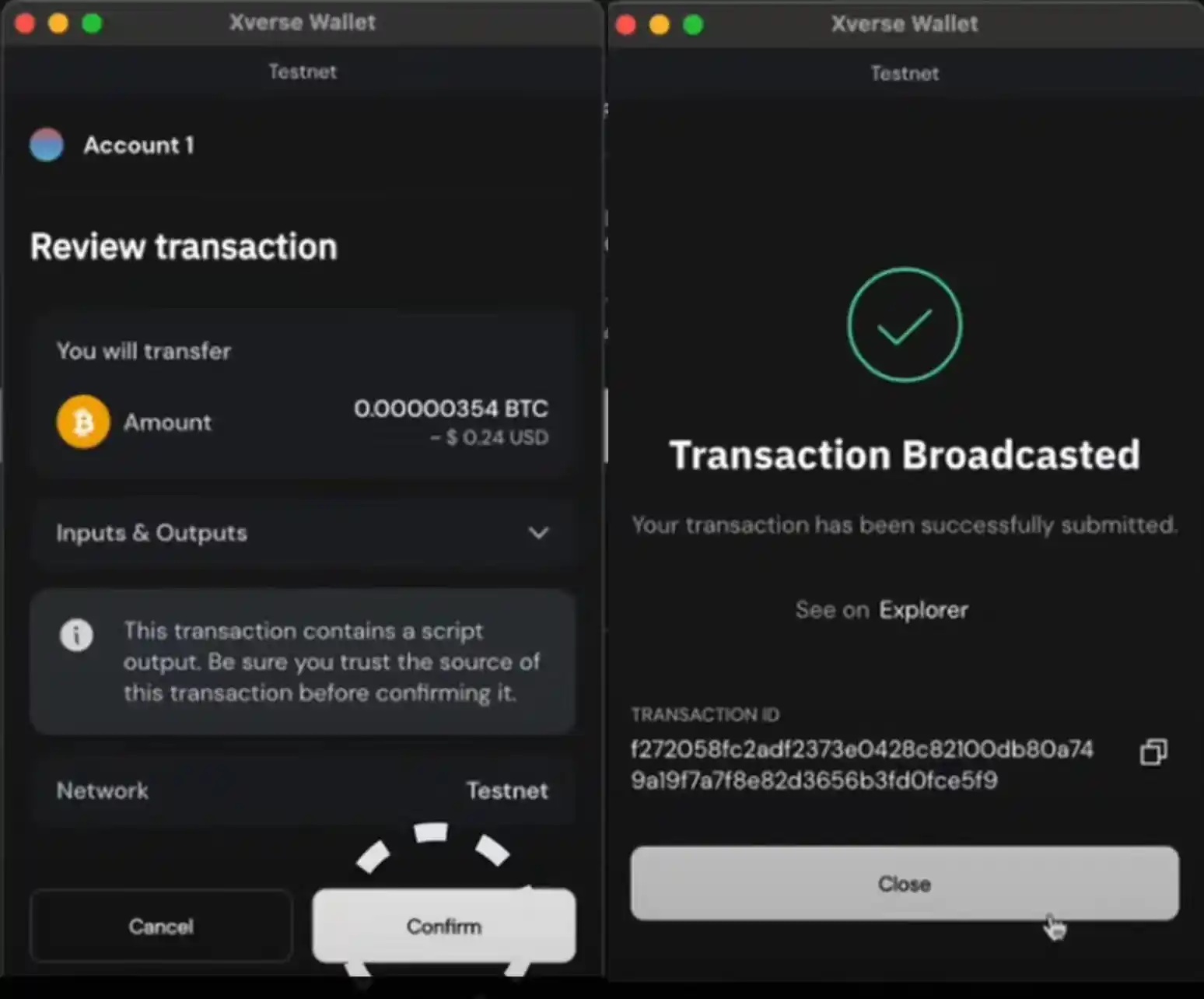
3. Select any Runes and click "Mint." In the pop-up transaction information, click "Confirm," pay the fee, and the minting will be complete. After block 840,000 is produced, Runes deployment will open, and users can deploy their own Runes tokens.
Unisat
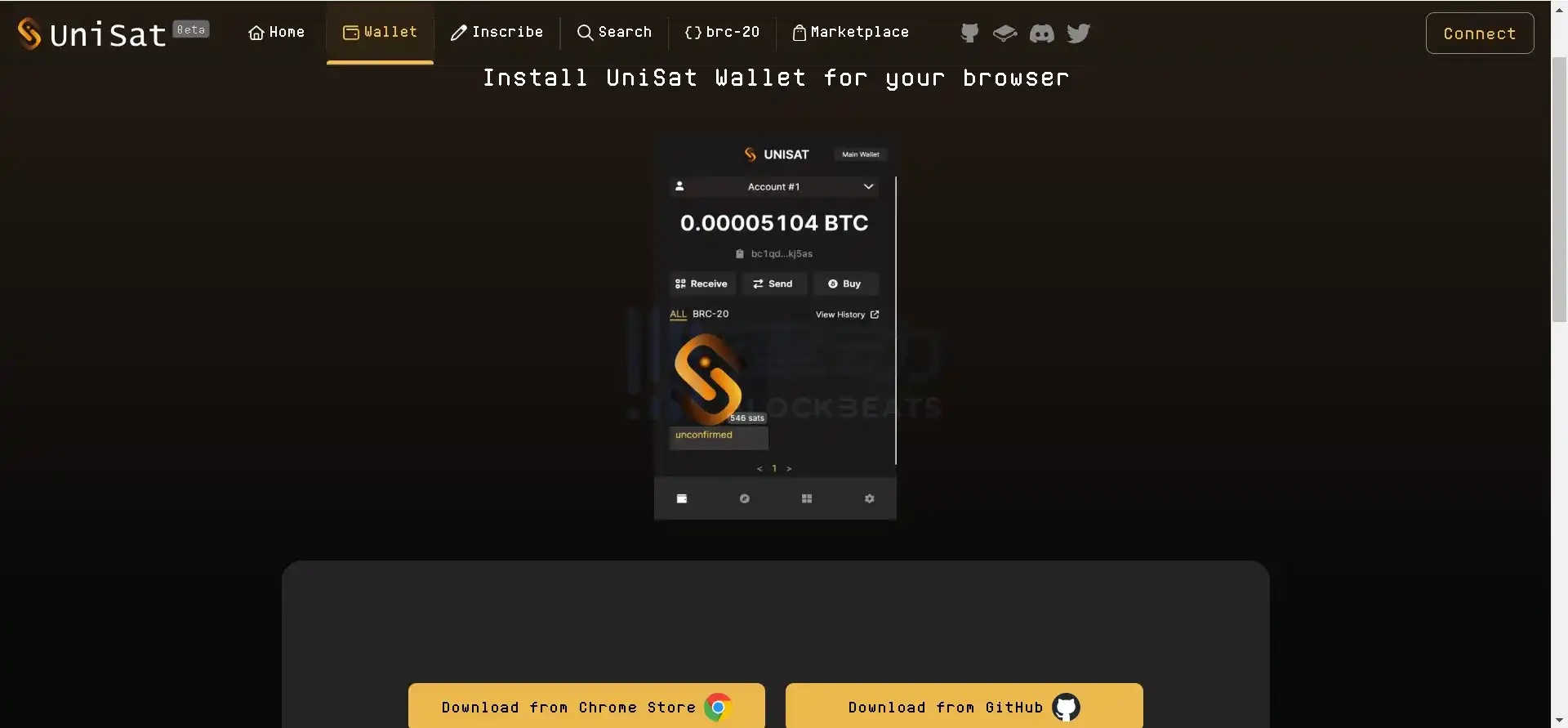
As one of the earliest adopters of BRC20, UniSat is one of the oldest wallets in the Bitcoin ecosystem. On April 14, UniSat announced on its social media that the UniSat wallet would support Runes and would launch Runes inscription services and a trading market. The testnet is already live, and we can familiarize ourselves with the post-mainnet launch process based on the testnet operations.
1. Open the Unisat official website, choose the Chrome browser to download and install the extension.
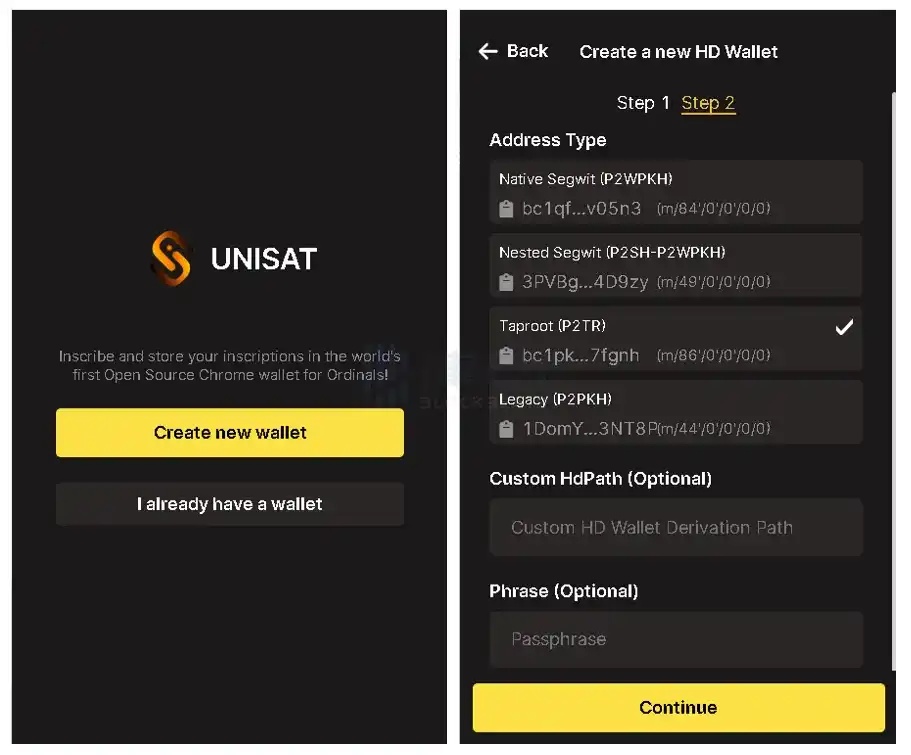
2. In the Chrome browser extensions, open the Unisat plugin. New users should select "Create new wallet" on this interface. After entering a password, a 12-word mnemonic phrase will pop up. Back up the mnemonic phrase, select the address ending with m/86/0/0/0/0, and click "Continue" to complete the creation.
3. Open the Unisat testnet, switch to the "Mint" option on the "Inscribe" page. In the "Rune / Rune Id" column, enter the name of the Runes you want to mint. In the "Repeat Mint" column, manually enter or use the slider to determine the number of Runes to mint. After confirming, click "Next."
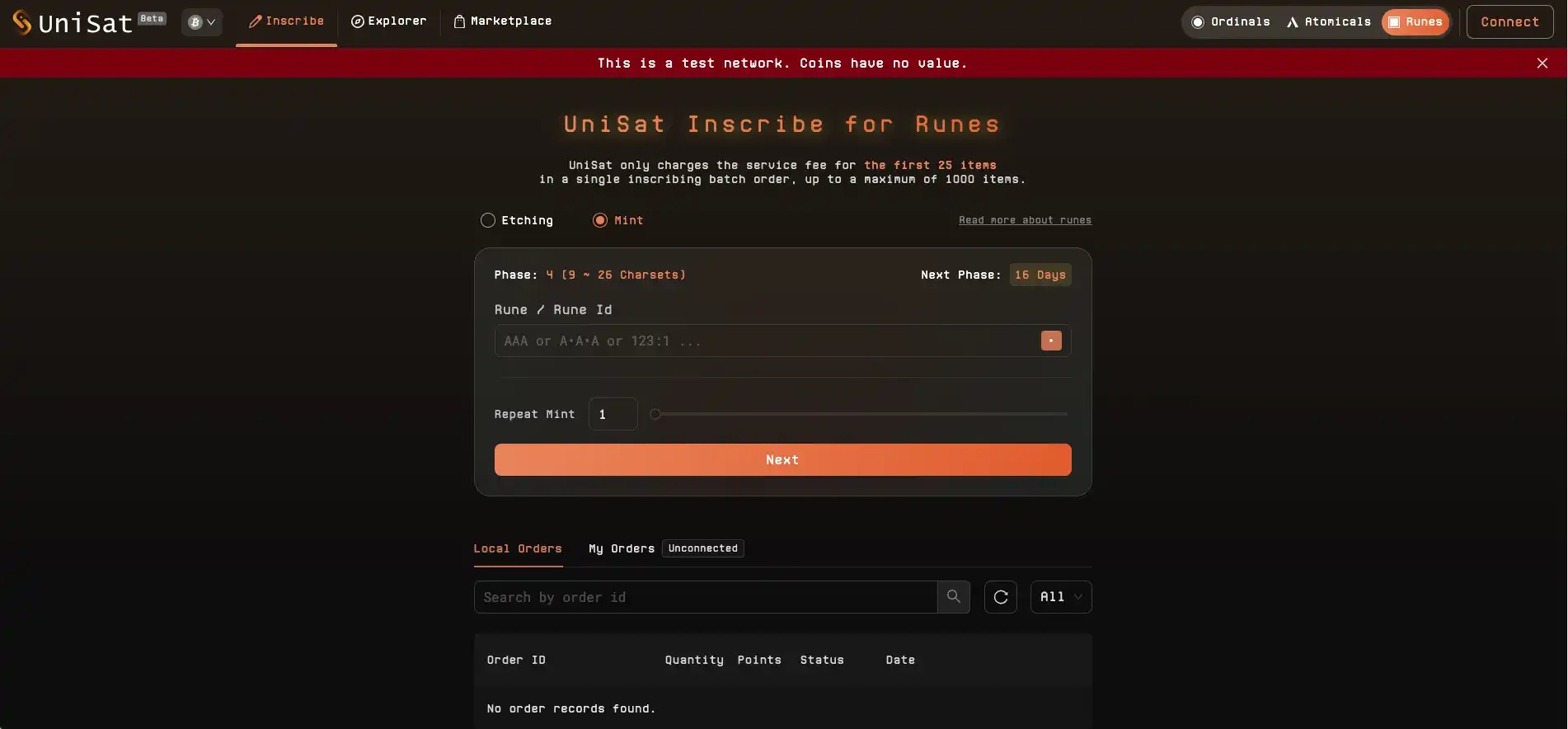
4. In the "To Single Address" field, enter the testnet address to receive the Runes. Choose the minting speed based on your needs. Note that "Custom" allows you to adjust the gas fee in the "Sats In Inscription" list. Finally, click "Submit Pay invoice" to submit the order.
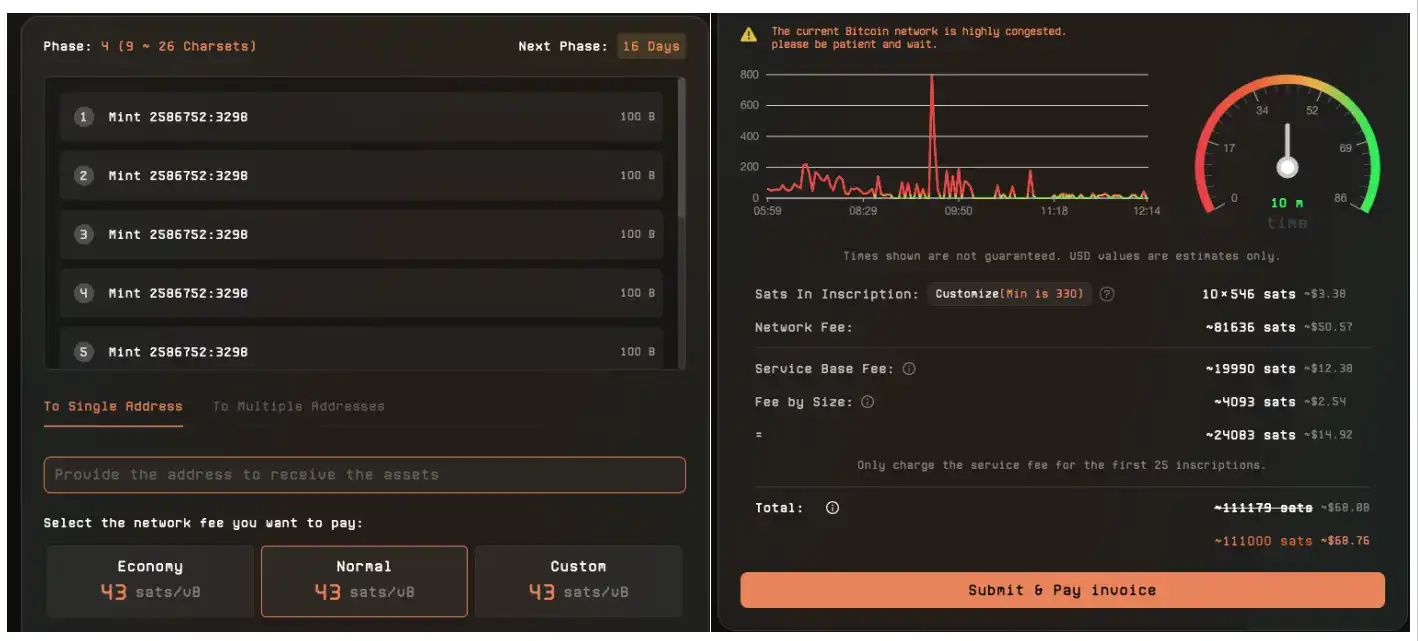
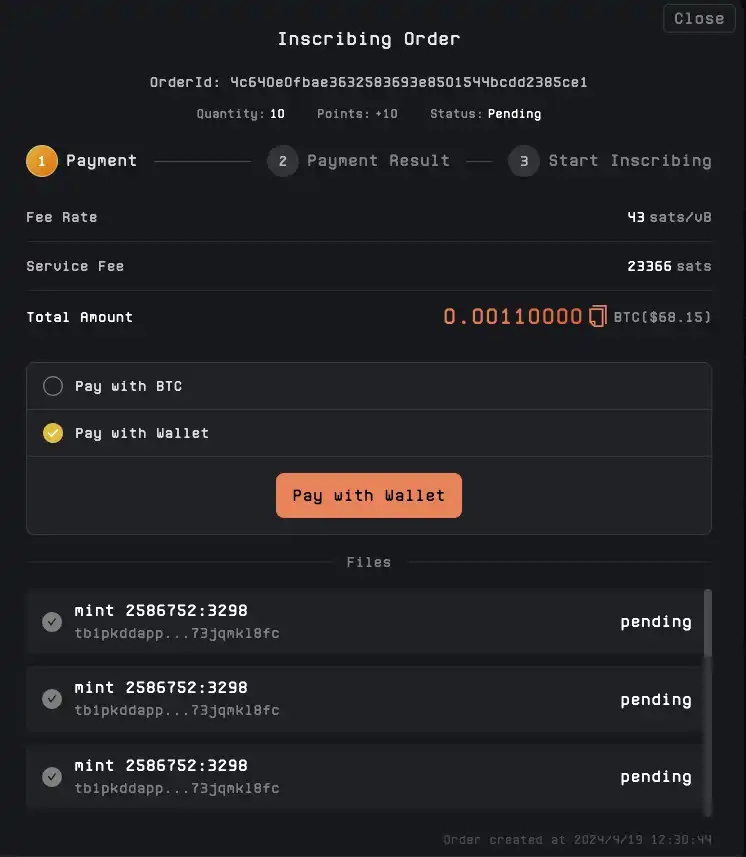
5. Finally, choose a payment method and sign to pay. If you choose wallet payment, ensure the wallet has sufficient balance; otherwise, the payment will fail. After successful payment, wait patiently for block confirmation. You can check the progress in the mempool, and the minted Runes will appear in the wallet once completed.
BTCBot
During the recent market 预热 for minting platforms, BlockBeats also noticed some new players, such as Bot tools. This is the first time a Bot has appeared in the Bitcoin ecosystem, often used as a backup solution when minting platform websites crash.
Although the chances of a minting platform website crashing are slim, and Bitcoin's transaction model differs from EVM's, the potential for code vulnerabilities remains unverified. Therefore, BlockBeats uses one of these as a tutorial case.
1. Open BTCBot in Telegram, click "Start" to enter the bot chat window.
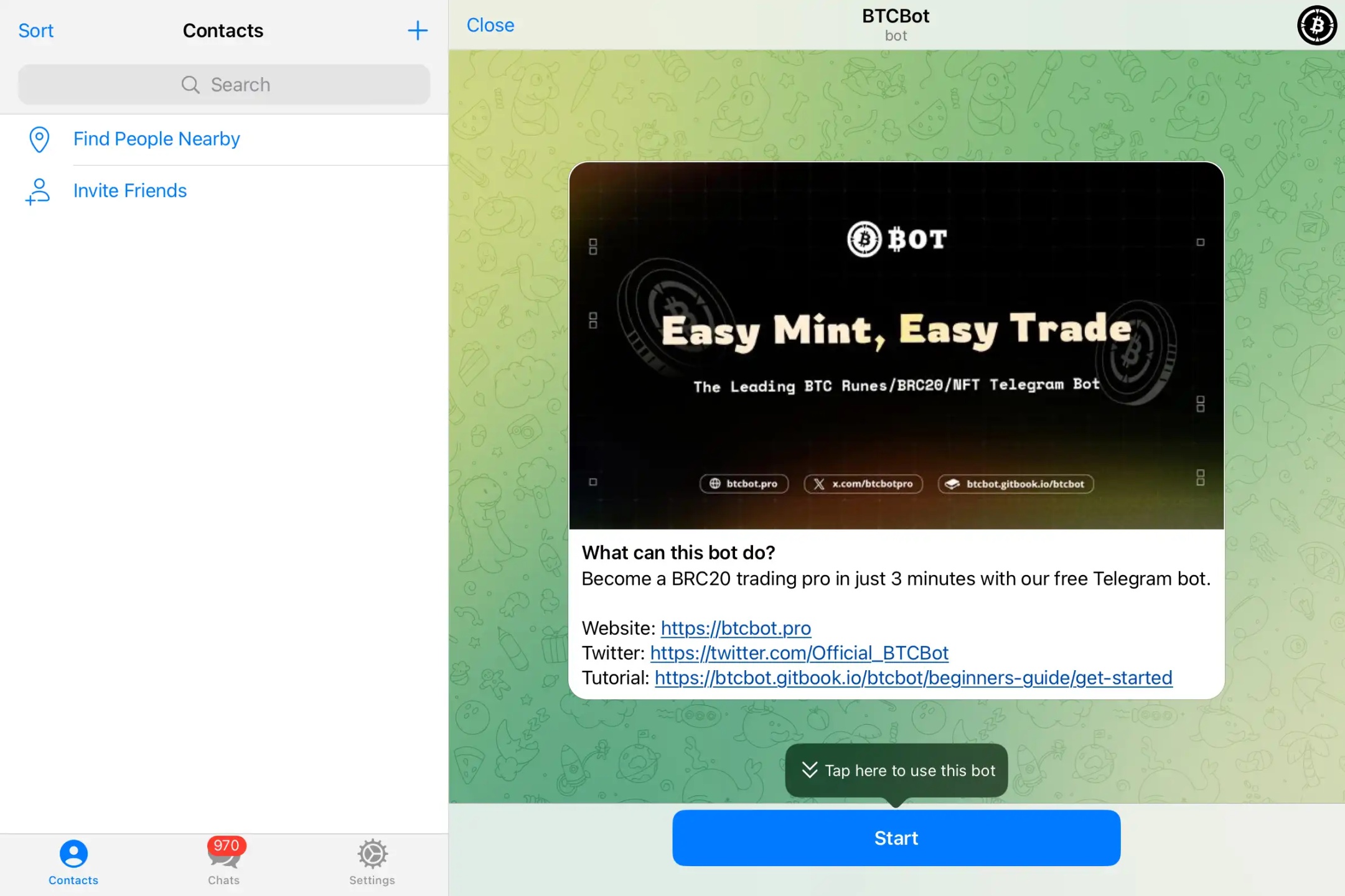
2. Currently, BTCBot services offer Chinese or English modes. In the dialog options, select "Create Wallet" or "Create 5 Wallets," and the bot will send new wallet addresses and private keys. Alternatively, choose "Import Wallet" and send the wallet private key to the bot for automatic address recognition.
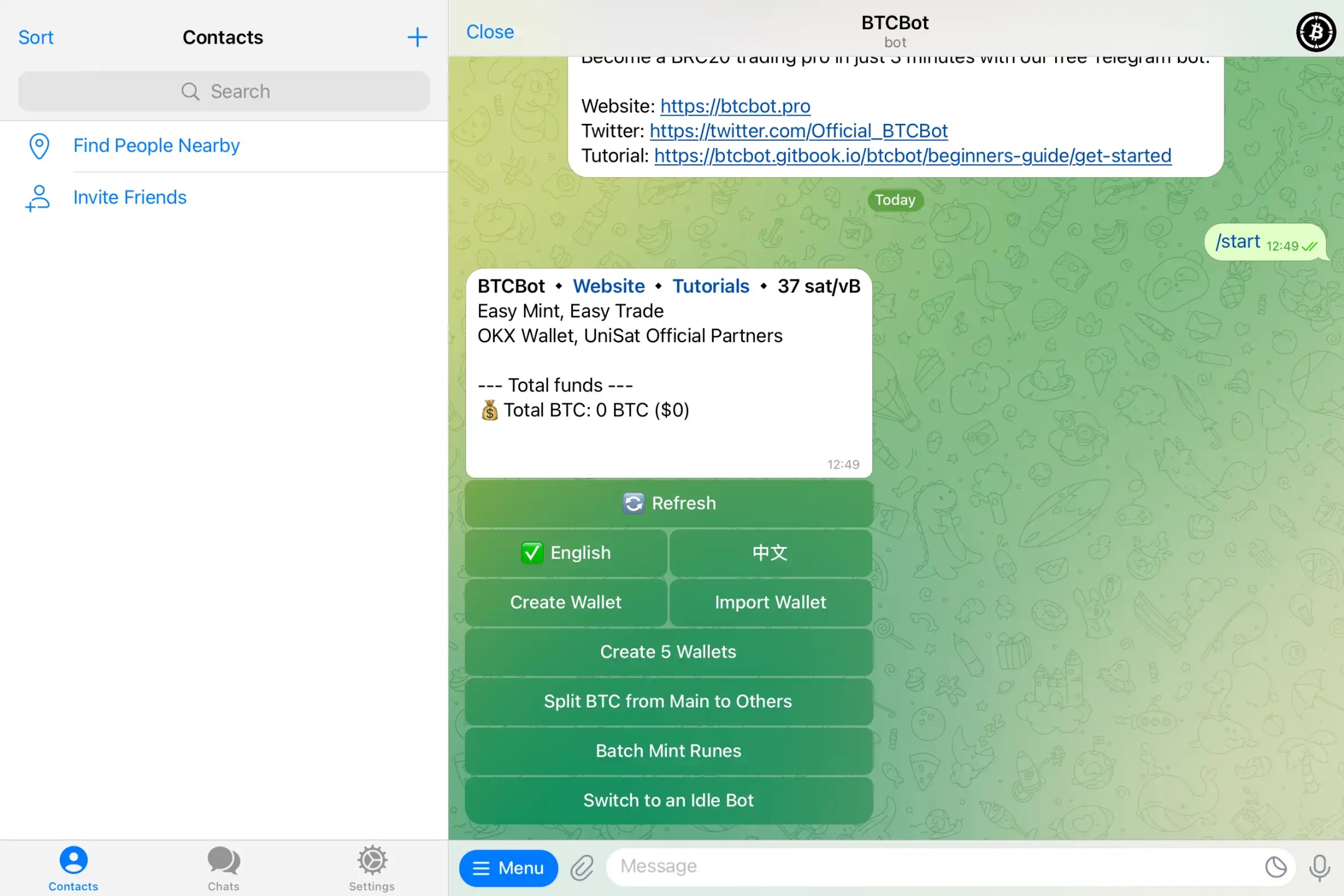
3. In the wallet recognized by the bot, deposit at least 0.002 BTC to initiate a new transaction. After completing all settings, you can use BTCBot to start trading.
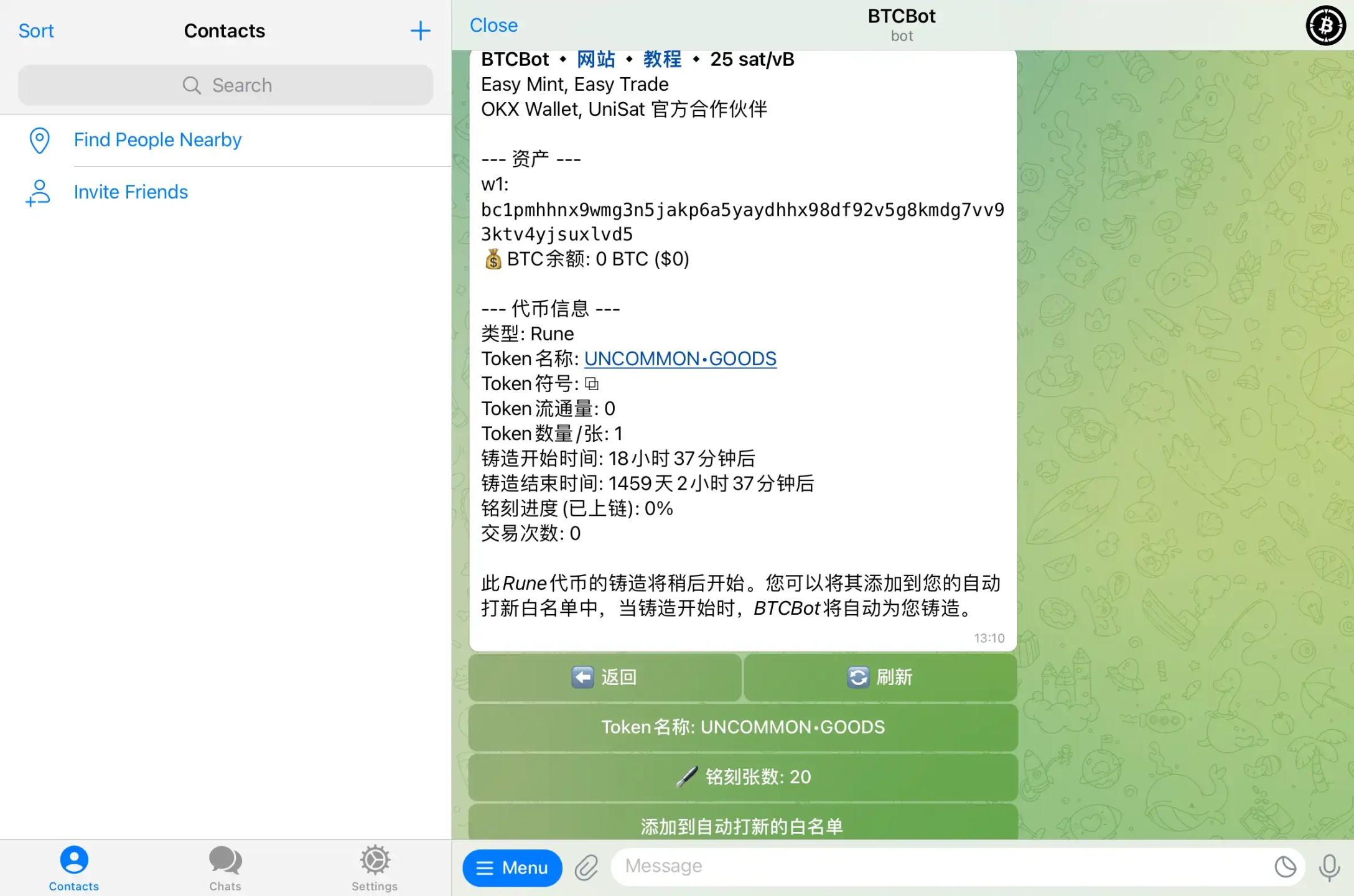
4. Select the bot's "Batch Mint Runes," enter the name of the Runes you want to mint. Using UNCOMMON•GOODS as an example, the bot will display basic information about UNCOMMON•GOODS. If you confirm the mint, click "Add to Auto-Minting Whitelist." When minting begins, the bot will automatically mint. The number of inscriptions can also be set directly via chat with the bot.
Other Tools
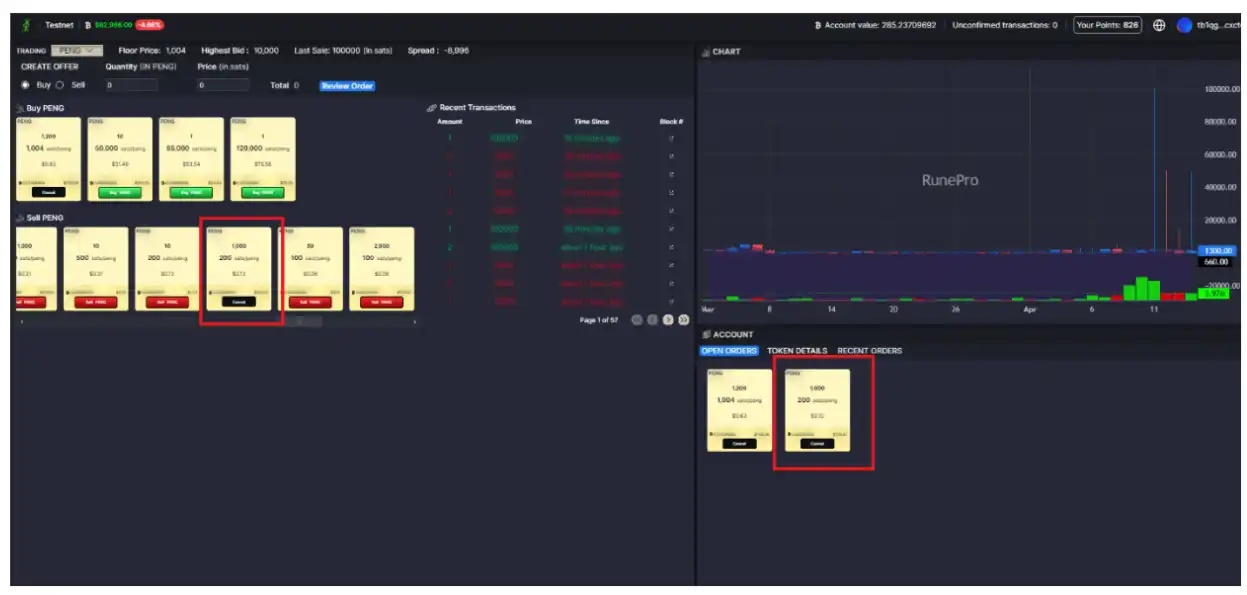
Rune pro
Rune pro is a new trading market tool in this round, aimed at improving the user trading experience.
How to create a Runes token sale: Click "Sell" in the first section of the page.

Enter the number of tokens you want to sell and the price per token in sats. Review the order and sign the transaction (you need to create a transfer amount matching the listing). Once completed, the listing will appear as follows.
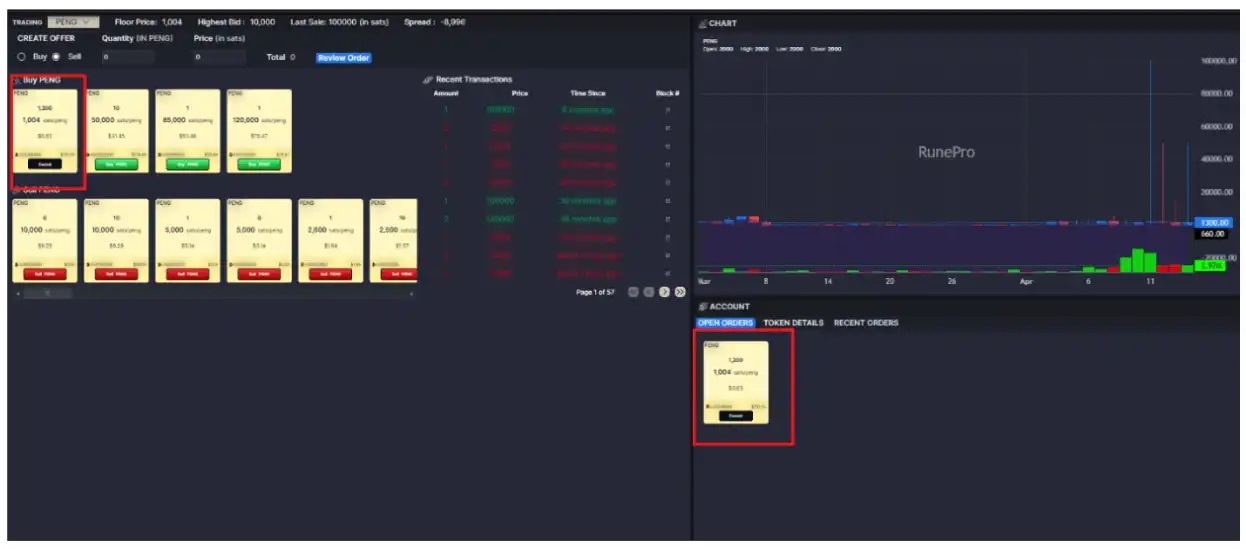
How to create a bid order to purchase tokens: Select "Buy."
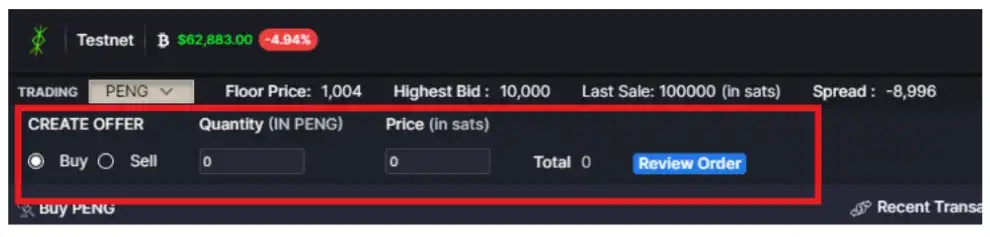
Enter the number of tokens and the price per token in sats. Review the order and confirm (note that you can only create one bid per token due to UTXO limitations). Once completed, the listing will appear as follows.
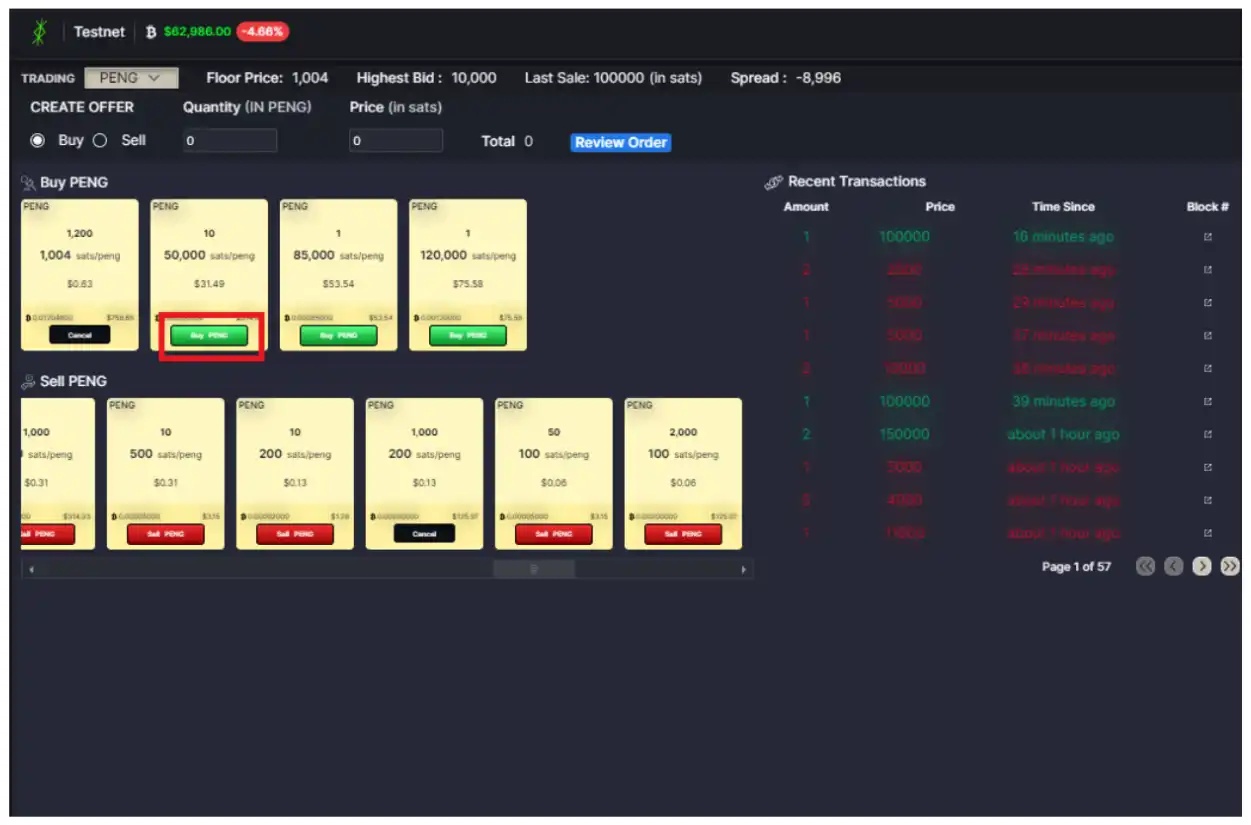
How to purchase a token: Click "Buy" on the card and confirm the transaction in your wallet.
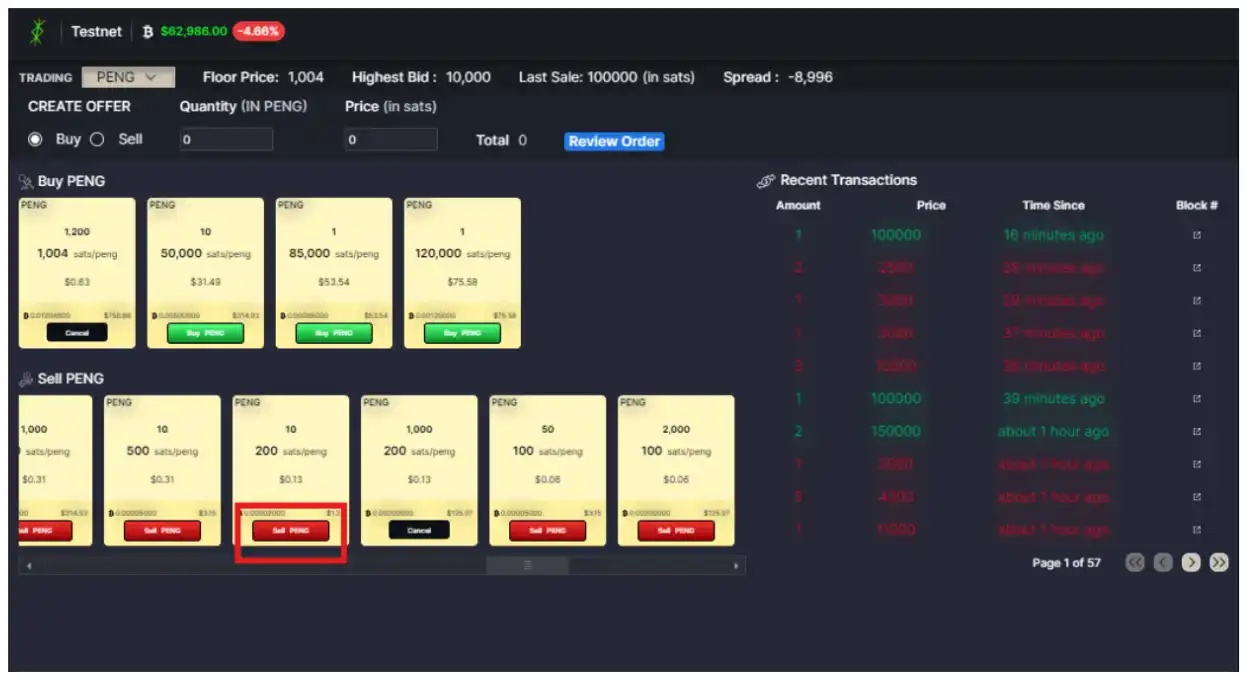
How to sell to a listing: First, create an accurate transfer description for the listed bid. Once the transfer description is created, sell directly to the bid by clicking the "Sell" button.
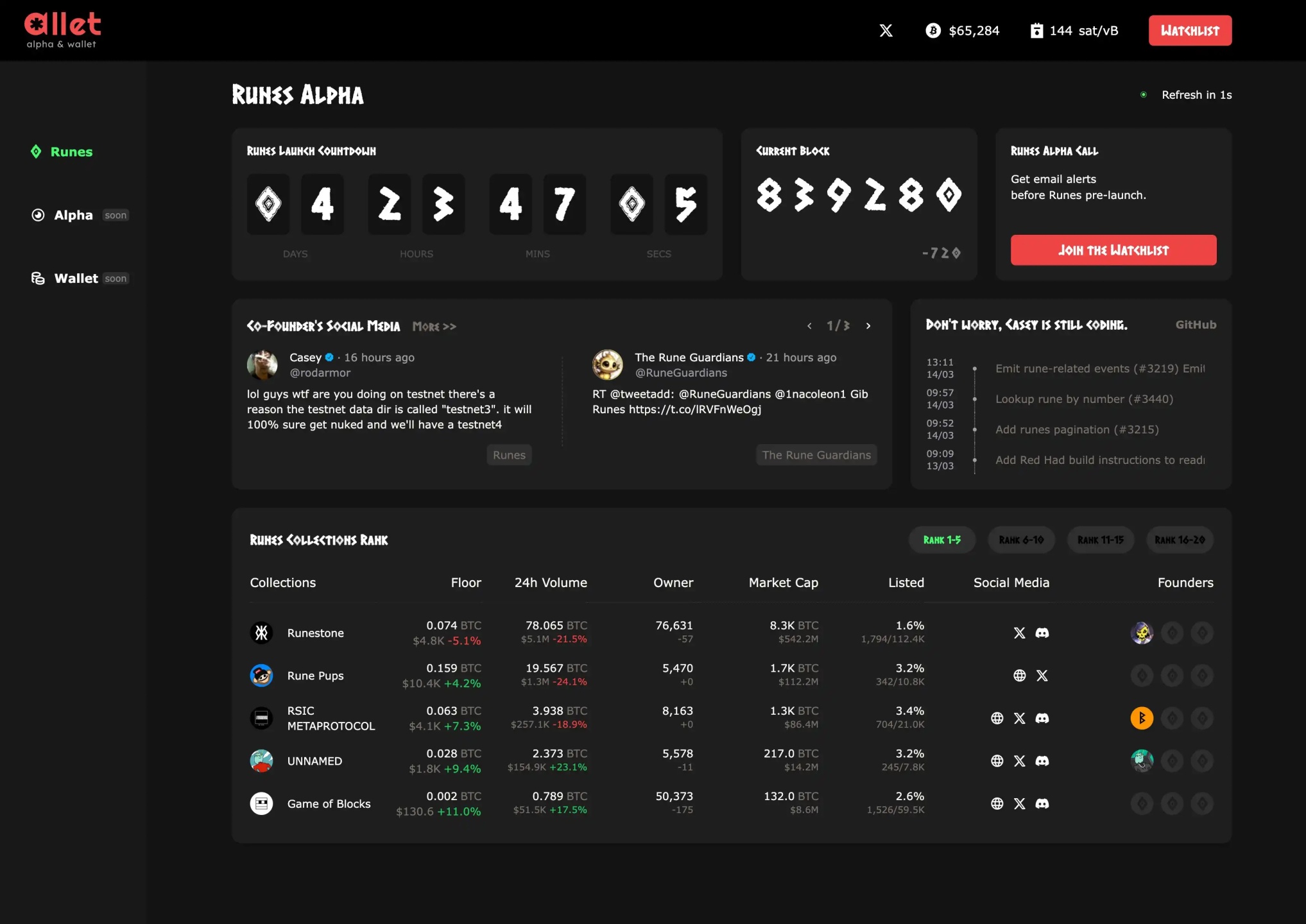
Allet
The Allet tool provides real-time updates on the halving progress, including the remaining number of blocks and estimated time, as well as Bitcoin's price and GAS fees.
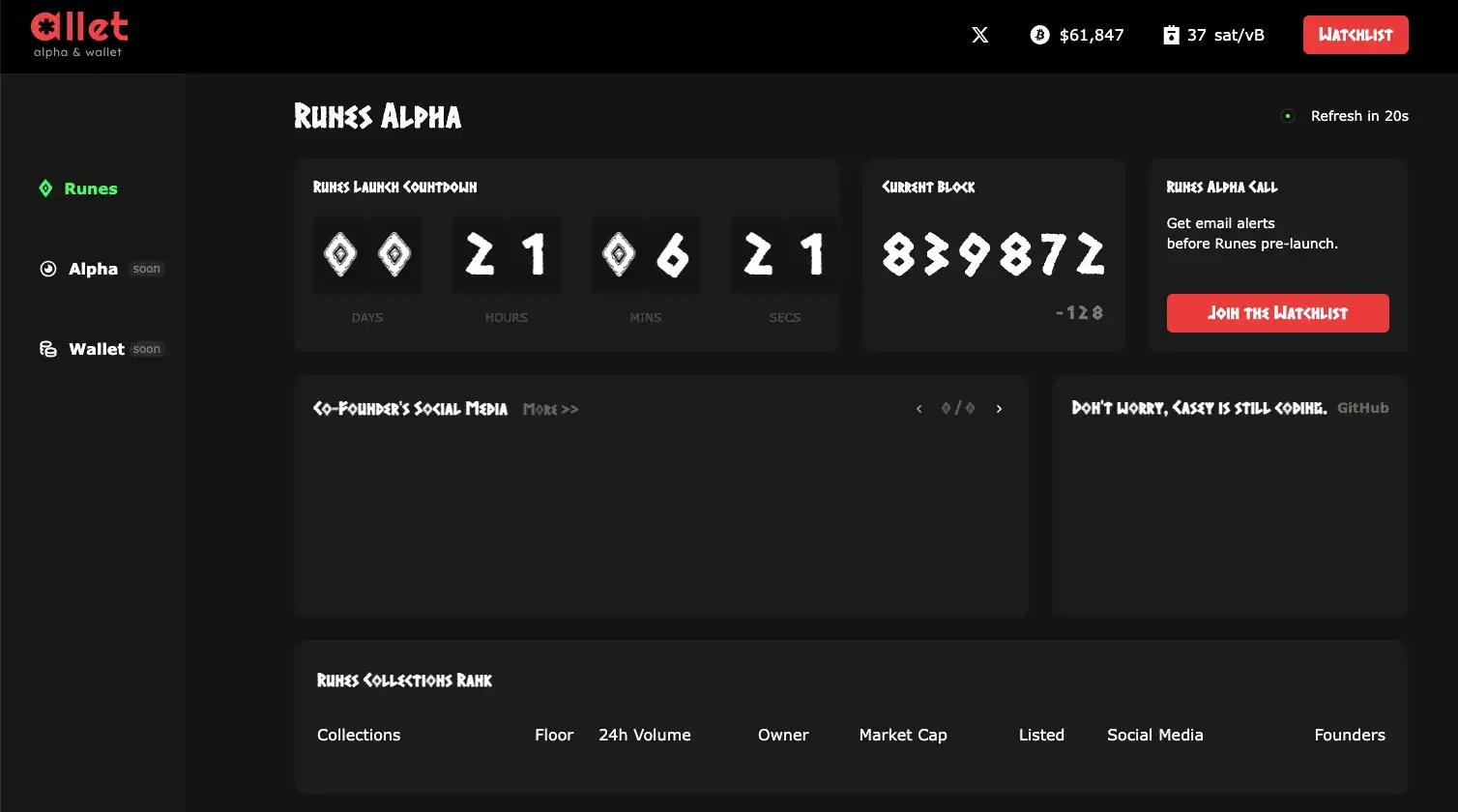
Currently, Allet has many tools yet to be launched, but according to official information, Allet will later update with important KOLs and project team social media accounts in the ecosystem to keep users informed. Additionally, it will provide detailed updates on floor prices and 24-hour trading volumes for all Runes-related collectibles, such as RSIC and Runes.
The copyright of this article belongs to the original author/organization.
The views expressed herein are solely those of the author and do not reflect the stance of the platform. The content is intended for investment reference purposes only and shall not be considered as investment advice. Please contact us if you have any questions or suggestions regarding the content services provided by the platform.
