


The ultimate button on iPhone 16

The iPhone 16 series has introduced a new "Camera Control" button, marking a significant change in Apple's smartphone design. This button is a touch-sensitive switch that supports high-precision pressure sensors and touch interactions, aiming to enhance the photography experience. Despite limited space on the device, Apple has added buttons for two consecutive years, demonstrating its design philosophy for the next decade. The addition of the Camera Control button reflects Apple's profound understanding of user interaction

Love Faner (ID: ifanr), Author: Xiao Qinpeng, Cover image from: Apple Official Website
The way to distinguish between iPhone 15 and 16, besides looking at the colors, now has another method - looking at the buttons.
Not long ago, the iPhone 16 series was released, and the most significant change in appearance is the addition of a new button across the series - "Camera Control", which is the long-rumored shutter button.
According to Apple's official website, this is a tactile touch switch for a clicking experience, supporting a high-precision pressure sensor for light touch gestures, and providing touch interaction with a capacitive sensor.
Adding a shutter button to a camera phone is not a new thing. In the era of feature phones, so-called camera phones like Sony Ericsson's C series came with a two-stage shutter button, short press to focus, long press to take a photo, similar to the operation on the iPhone 16.
However, for Apple, which has always focused on simplicity, adding buttons to the iPhone for two consecutive years in the already limited space of the device is not very common.
Now, operation buttons and camera controls have become standard on the iPhone, and behind these two buttons lies Apple's ultimate understanding of the iPhone for the next decade.
How many secrets are hidden behind the "Camera Control" button?
When designing the phone, Apple had two options. One was to continue the design of the iPod, using a scroll wheel instead of a keyboard, but Apple could not solve the efficiency problem of inputting.
The other option was to transplant the multi-touch technology from the MacBook trackpad to the phone, so that when you want to make a call, the screen displays the dialing interface, and when you want to input text, the screen turns into a keyboard - this is the prototype of the later iPhone and iPad.
Whether it's the iPhone or iPad, they are essentially display screens, so all functions and designs of the products must serve the needs of the screen. The device has only one Home button on the front, and the side function keys also have their own roles: lock button, volume adjustment keys, and mute switch All of this is to focus the user's interaction on the touchscreen.
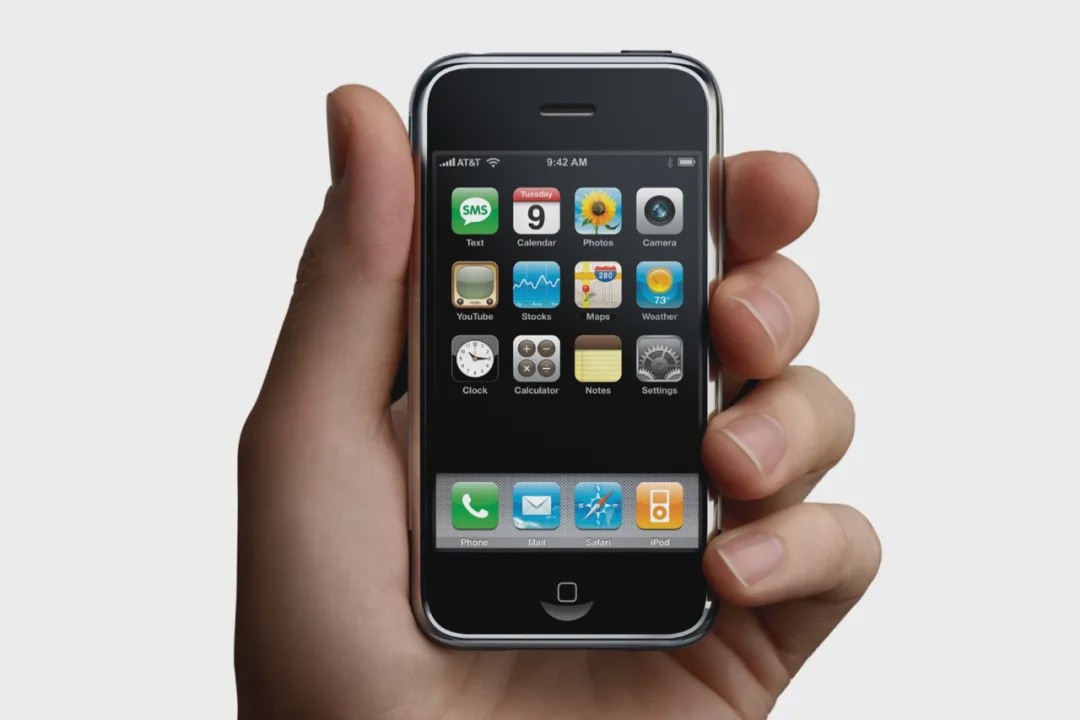
In other words, unless the user can understand the function of each button even without seeing the screen, there is no need for that button to be included.
By this standard, replacing the mute toggle with an operation button is not a good design choice, as custom operation buttons are not intuitive and easy to remember. However, the "Camera Control" button on the lower right side of the device is a stroke of genius — whether using the iPhone vertically or horizontally, the embedded design of the camera control button is almost imperceptible and not easily triggered accidentally. But once a camera-related scenario arises, the brilliance of this button will be quickly activated.
Unlike other buttons on the iPhone, the "Camera Control" button is a highly integrated button — it has both mechanical movability and capacitive design for control, while also providing richer feedback through pressure and vibration.
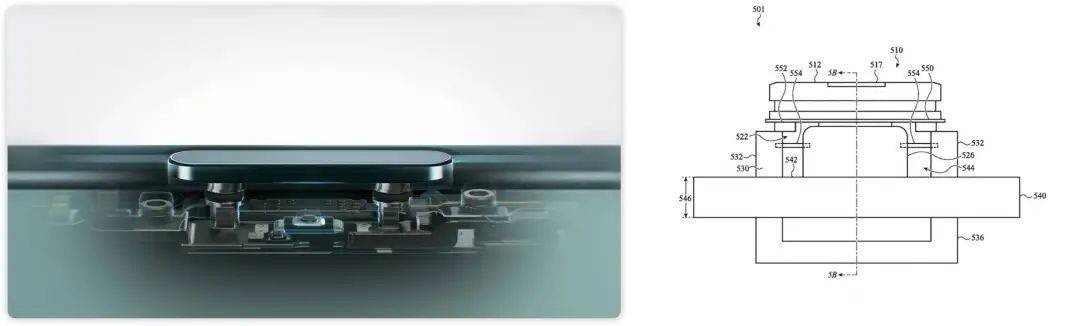
Apple elaborated in related patents:
As electronic devices become increasingly compact, mechanical buttons bring many problems and design limitations. Many mechanical switches require minimal operating space. For example, a typical dome switch requires about 200 microns of travel to depress the dome and close the switch. This is particularly problematic in extremely thin electronic devices.
You see, Apple is willing to change button designs just to make the iPhone a bit thinner.
Apple has designed a magnetic structure for this button to make it more compact. When the electromagnet is activated, the magnet rotates, thereby rotating the input structure to provide tactile feedback to the user — the displacement of this rotating button is less than 10 microns, only one-twentieth of a traditional dome button, but enough to create a "operational feel."

The editor-in-chief of the tech media "Wired" once made the following point:
All devices need interaction. If something lacks interaction, people will think it's broken.
The camera control button on the iPhone 16 also integrates pressure sensors, capacitive sensors, capable of recognizing light pressure, heavy pressure, sliding touch, and supports haptic feedback — this solution is reminiscent of the 3D Touch feature on the iPhone 6S, a technology that ended abruptly on the iPhone and is now returning in a more reasonable manner. More dimensions of control mean more things can be done.
First of all, this is a shutter button that supports multi-stage operations (Apple announced at the conference that it will update the two-stage shutter function in the future). A single press opens the camera, a light press focuses, a heavy press takes a photo, and a long press records a video. Not only that, sliding left and right on the button can also achieve zoom operations. The precise haptic feedback from the Taptic Engine gives the illusion of turning a dial—rather than calling it a camera control button, it's more like a scroll wheel.
Giving a smooth surface rich in operational feel, this is the magic of technology.
Of course, the design of the camera control button may also bring some troubles—for phone case manufacturers, this is not good news. Due to the concave design of the button, if only a simple hole is made or a transmission button is rudely added to the phone case, the tolerances caused by the hole or button may affect the accuracy of the operation and may lead to misoperation, or even some functions cannot be used normally.
Therefore, Apple has even applied for a series of patents related to phone cases to solve this operational issue.
This patent from Apple directly integrates the camera control button on the phone case. When this phone case is installed on an iPhone that supports camera control, the system will obtain input signals through the button on the phone case, whether it is a light press, a heavy press, or a touch slide, all can be recognized and responded to.
It is also this series of patents related to buttons that reveal Apple's deeper thinking about the "buttons" on the iPhone.
The ultimate answer to phone buttons
The buttons on the iPhone are essentially the physical intersection between the product and the user. In Apple's view, a key ability of buttons on the iPhone is to connect with users.
For this reason, Apple began preparing more than ten years ago. Over the past decade, Apple has applied for many patents to give physical buttons more meaning:
As early as 2008, Apple applied for a patent to integrate a heart rate sensor in the Home button to unlock the iPhone. This patent was only approved by the US Patent and Trademark Office this year. At that time, Apple was also synchronously developing Touch ID technology, while the acquisition of Face ID-related technology would not start until a few years later Early iPhone Patent on Heart Rate Unlock
A patent disclosed in 2015 shows that Apple once intended to integrate a fingerprint recognition module on the wake-up key of the iPhone. Later, this technology was used on the iPad, but it does not mean that Apple has given up the possibility of implementing it on the iPhone. In Apple's latest patent related to phone cases, there is still the idea of unlocking the iPhone through a fingerprint sensor integrated on the phone case.
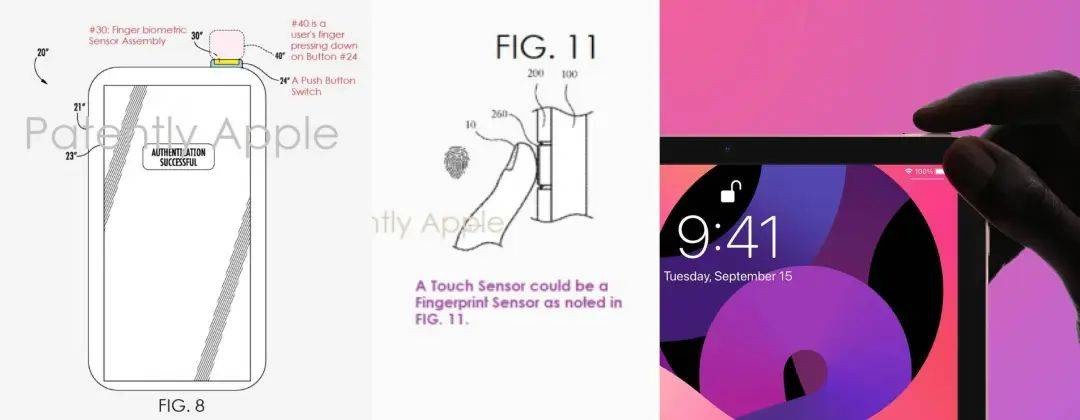
For example, buttons can be given the ability to be visualized.
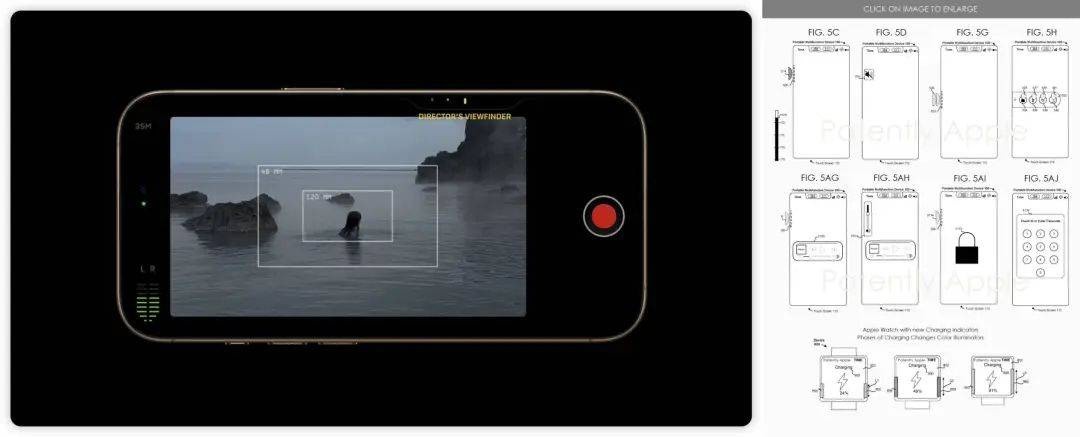
Apple has a patent applicable to the iPhone, which turns the side buttons into touch screens, allowing corresponding information to be displayed while operating the buttons. For example, when opening music, the touch screen will turn into a player style, and when opening the calendar, it can display the schedule. Apple has a precedent for this design, the previous generation MacBook Pro's Touch Bar design was impressive, and the setting interface for operating buttons also reveals that visual information is essential for the button to function. However, this capability is currently lacking on the iPhone.
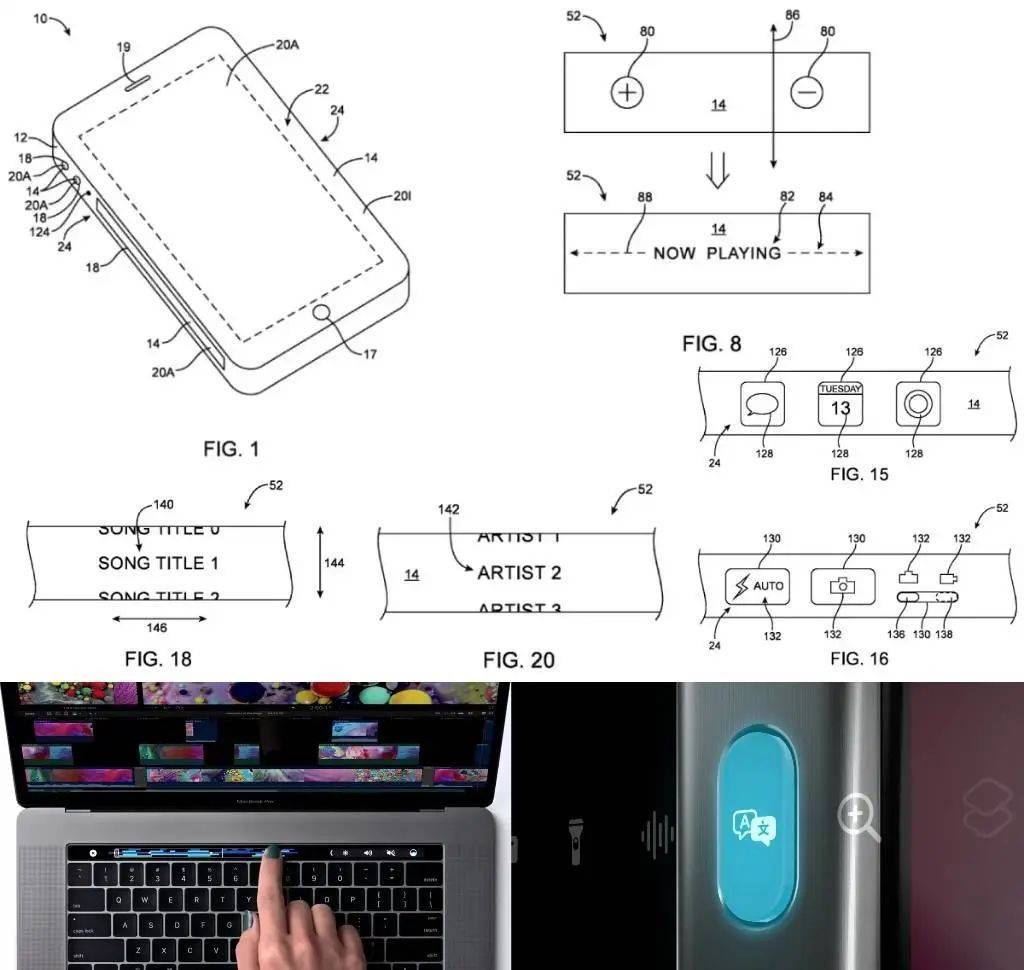
A more direct example is Apple's demonstration of the functionality of the "camera control" button at the iPhone 16 launch event:
The first use case is to make the button a switch for "spatial imaging" content creation—when holding the phone horizontally, pressing the "camera control" button allows you to directly select shooting spatial images. Knowing that the video recorded at this moment may be viewed in the future with spatial computing devices like Vision Pro, spatial imaging is bound to be a frequently used feature. Many important memories are hoped to be stored in a more compelling medium.

The second use case is to make the button a "AI intelligent agent" launcher—when holding the phone vertically, pressing the "camera control" button can directly activate AI visual intelligence—whether searching for the same product on Taobao, finding a restaurant on Dianping, navigating, doing exercises, translating... as long as you ask the iPhone with the camera, AI will give you an answer.
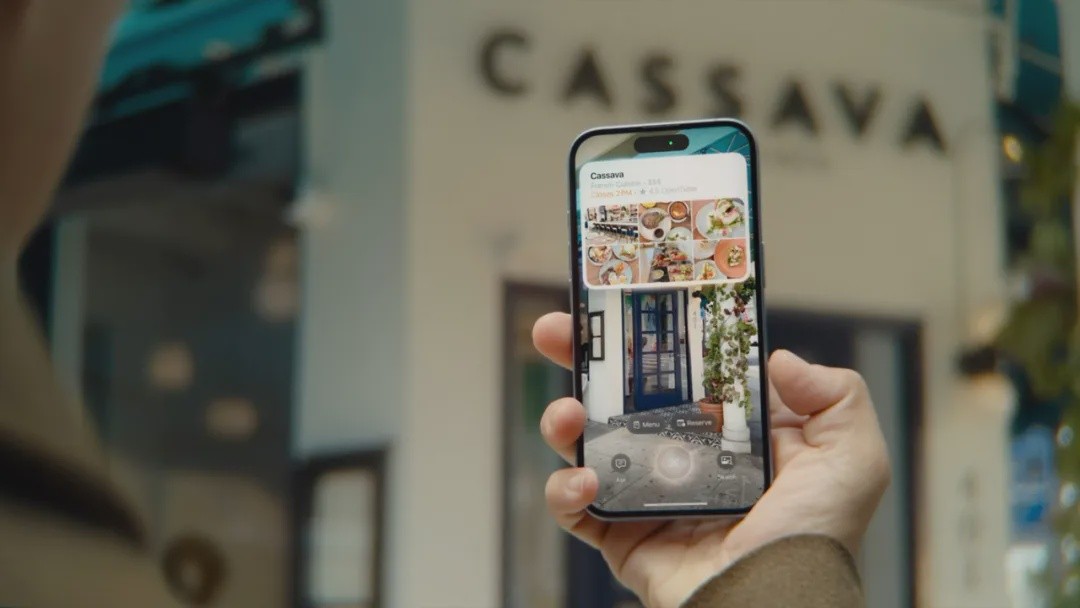 The third use case is to make the button a physical extension of various applications—double-click the "Camera Control" button to bring up a multi-functional menu, where options can be switched by sliding. Just a week before the iPhone 16 launch event, Apple had a series of related patents disclosed, which is an operating system based on side buttons. Apple allows the same button to perform different functions in different contexts through simple operations and a concise interface—for example, when taking photos, sliding the "Camera Control" button can switch focal lengths and adjust aperture; while on TikTok, it might be switching filters or adding music; and when playing music, it could be changing tracks or adjusting volume.
We have imagined many times that one day the iPhone will abandon all "physical buttons," but this does not mean that buttons do not exist or are unimportant. Instead, the buttons on the phone's frame have become an organic part of the system, connecting users, screens, applications, and the future. This is Apple's ultimate understanding of iPhone buttons.
Design is the core soul of a work, and is ultimately expressed through the shell.
Jobs and Ive advocate the Bauhaus design philosophy, deeply influenced by the design concept of "less, but better" (Weniger aber besser) by the German industrial design master Dieter Rams.
Abandoning buttons is not a recent idea; it can also be traced in Apple's history.
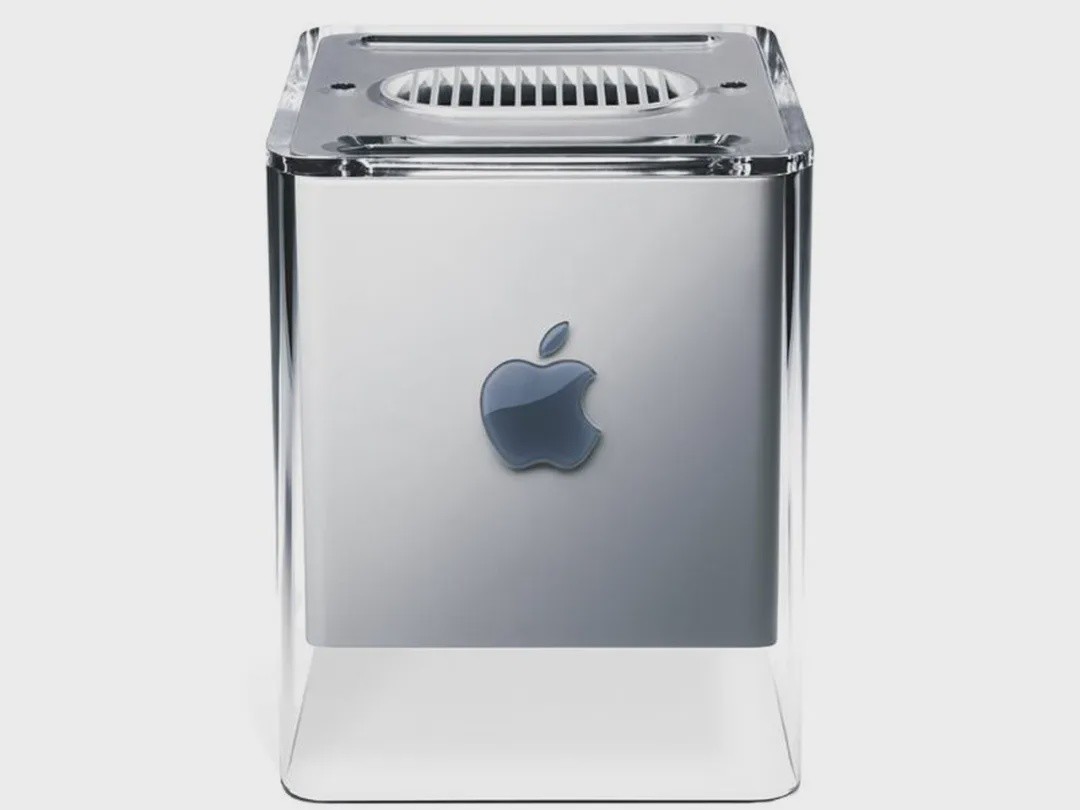
In 2000, Apple introduced the Power Mac G4 Cube, which was very charming and even selected by the Museum of Modern Art in New York. This was an 8-inch cube computer, a pure expression of Jobs' aesthetics. Its precision comes from minimalist style, with no visible buttons from the outside; no CD tray, only a tiny slot. Despite a poor user experience and bad reviews, Jobs was proud of it:
We make progress by simplifying and removing the unnecessary.
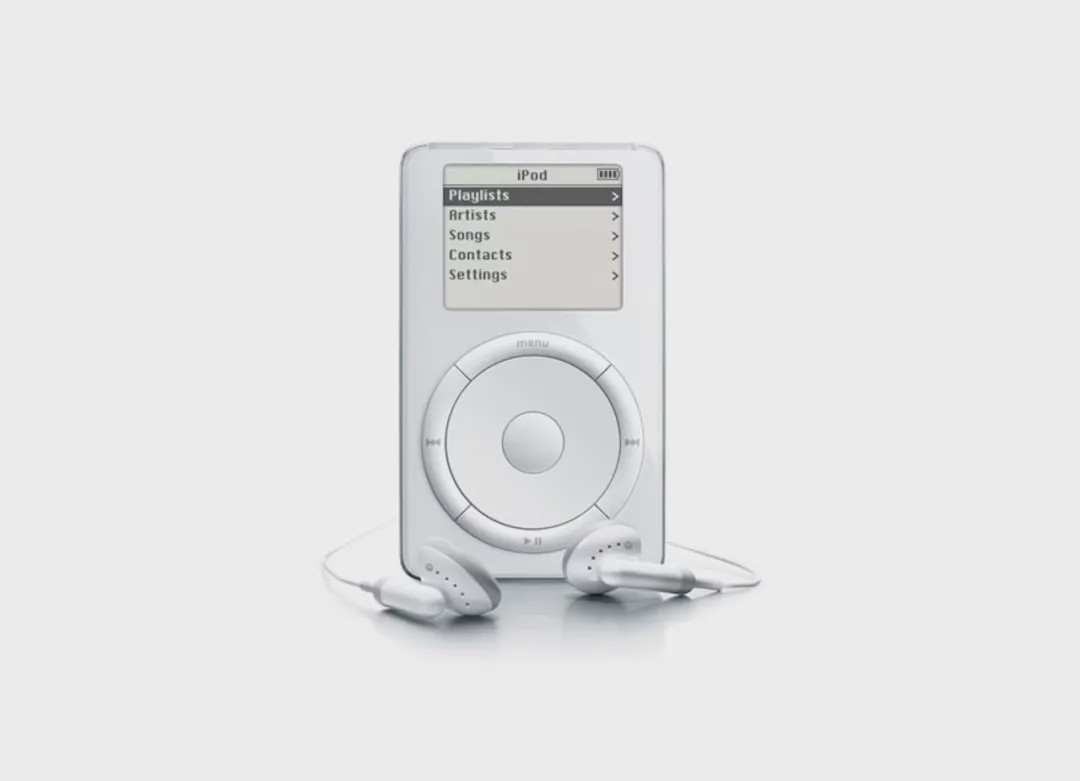
At the beginning of the iPod design in 2001, Jobs decided to eliminate the "power button" on the iPod. Jobs believed that from an aesthetic and theological perspective, the power button is unpleasant. If not operated for a period of time, it would automatically go into sleep mode; when you touch any button, it would automatically "wake up" again. But there was no need to specifically set up such a process: press to shut down—wait—goodbye.
 Today, the product logic of the iPhone is similar. When you pick up the phone, the screen automatically lights up. When you look at the phone, the screen automatically unlocks. Pressing the "lock screen button" locks the screen, and shutting down requires a lot of effort - in Apple's design philosophy, unnecessary buttons do not need to exist.
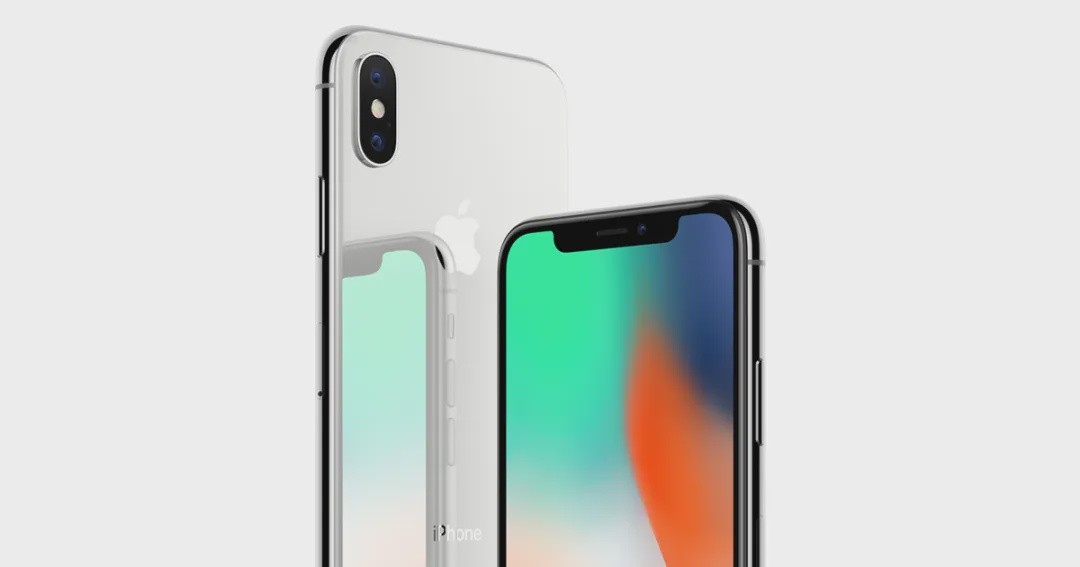
In September 2017, Apple CEO Tim Cook introduced the iPhone X as follows:
The original iPhone completely revolutionized technology over the past decade and changed the world in the process. Today, ten years later, is the perfect day for us to showcase this product that will lay the foundation for the next ten years of development - this is the iPhone X.
Since entering the era of "full screen", the design of the iPhone has been iterated in small steps for seven years, reaching a perfect product form, approaching the magic glass ideal of Jobs and Ive, just like the black monoliths in "2001: A Space Odyssey" that always maintain a 1:4:9 ratio.

After nearly twenty years of iteration, phones have evolved from tools for communication to containers for content. The most direct evidence is the decreasing number of buttons and the increasing size of screens - the iPhone replaced the dial pad with multi-touch and the Home button, and the screen expanded from 2 inches to 3.5 inches; the iPhone X replaced the Home button with gestures, and now the screen is close to 7 inches, twice the size of the original iPhone. Therefore, the design iteration path facing the iPhone is now clear:
The original deep sensing camera module, which has been narrowing year by year, will eventually be hidden under the screen. Apple, LG, and Samsung are already researching countermeasures. The display area of the screen will extend to the edges of the phone's frame. The iPhone 16 Pro has already reduced the bezels by 30%. The mechanical buttons on the sides will merge with the frame of the phone, becoming part of the container, just like the "camera control" button.
In the next ten years, phones will undoubtedly tend towards simplicity, while the content within them may be ultimately complex.
iFanr (ID: ifanr), Author: Xiao Qinpeng
